GIF Face Swap Online
Create a face swap GIF from an animated GIF or short clip. Replace one face or several, then download the finished loop. Cost: 1 credit.
Create a face swap GIF in three steps
Add an animation
Upload a GIF or a short MP4, MOV, WEBM, or MKV clip. This workflow always returns an animated GIF.
Assign the new faces
Choose a photo for each detected person, or reuse one replacement photo across every face.
Generate and download
The job renders in the background, so you can prepare another GIF while the result appears in "My creations".
What Our Users Say
"I'm happy to see that facy finally added a gif swap"
"best free gif face swap I found online"
"very good gif face swap"
Create a Face Swap GIF from Your Own Animation
A GIF face swap is made for motion, not just one still frame. Upload an animated GIF or a short MP4, MOV, WEBM, or MKV clip, then match replacement photos to the visible faces in the sequence. You can change one person, give several people different faces, or reuse one photo across the whole group. The finished file is returned as an animated face swap GIF that you can preview and download.
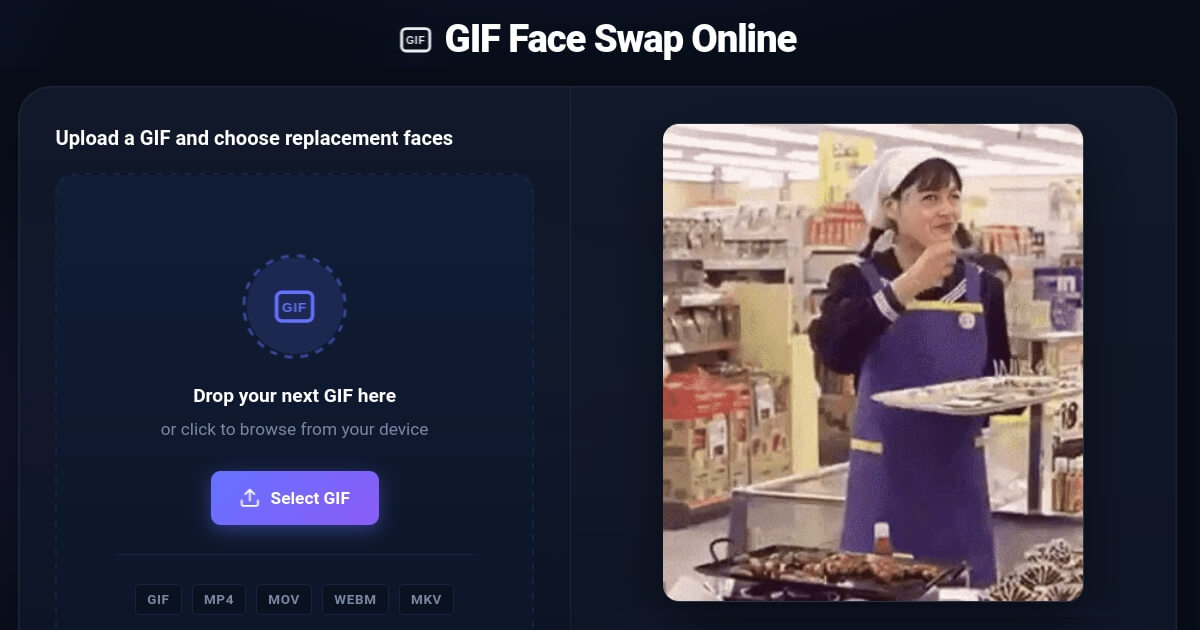
Control each person in the loop
Detected faces are shown separately, so a group GIF does not have to use one replacement for everyone. Assign a different photo to each person, or enable the one-face-for-all option when that is the effect you want.
Get GIF output from GIF or short video input
Start with an animated GIF or a supported short clip. Regardless of the source format, this page is designed to produce a downloadable GIF rather than sending you into a separate video editor.
Keep creating while a job renders
A submitted swap moves into the background queue. You can prepare another source instead of holding the page open on a single progress screen, and completed jobs collect under "My creations".
Download before temporary files expire
Uploaded files and generated results are automatically deleted after 48 hours. Save the face swap GIFs you want to keep rather than treating the creations area as permanent storage.
How to face swap a GIF online
- Choose the source animation. Upload a GIF or a supported short video containing at least one clear, visible face.
- Review the detected faces. Each person found in the source appears on an individual face card.
- Add the replacement photos. Map a different image to each person, or apply one replacement image to all detected faces.
- Create and save the result. Start the job, preview the generated face swap GIF, and download it before the temporary file expires.
When a GIF face swap is the right format
Choose GIF for short, repeating moments
GIF works well for reaction loops, memes, compact messages, and animations that should replay without a video player. It is different from a photo face swap because the replacement must remain consistent across movement.
Choose another output when the project is not a loop
For a single still image, use the photo face swap tool. For a longer clip that should remain a video, use the video face swap tool. This page is specifically optimized for animated GIF output.
How to get a cleaner face swap GIF
Use a clear source animation
Prefer a version where the face is large enough to recognize and remains visible for most of the loop. Heavy compression, pixelation, and motion blur leave less facial detail to work with.
Use one unobstructed reference face
A well-lit photo with one person, visible eyes, and a complete face outline is easier to match than a crowded photo. Similar lighting and camera angle can also make the transition feel less abrupt.
Watch for profiles and occlusion
Steep side angles, masks, sunglasses, hands over the face, and frames where the subject leaves the shot can cause inconsistent results. A different source loop may work better than forcing a difficult one.
Test a short section first
A concise loop is easier to review, download, and share. When the source is long or contains several scene changes, trimming it before the GIF face swap can make the intended moment clearer.
Ideas for a custom face swap GIF
Personal reaction loops
Turn a familiar reaction animation into a custom reply featuring you or a friend.
Birthday and event loops
Put yourself into a celebration GIF for birthdays, team wins, or invitations and share it in seconds.
Meme and character remixes
Adapt a permitted meme or original character animation without editing every frame by hand.
Creative concept tests
Compare different casting ideas or visual jokes in a lightweight looping format before making a longer edit.
GIF face swap FAQ
What is a GIF face swap?
How do I create a face swap GIF?
Can a GIF face swap replace several people?
Can I upload a video and receive a face swap GIF?
Which replacement face photo works best?
Why does my face swap GIF look blurry or unstable?
How long does a GIF face swap take?
How long are uploaded GIFs and photos stored?
Is it legal to swap a face in a GIF?
Responsible use, rights, and consent
Only upload media you own or have permission to edit, and obtain consent before using another person's likeness. A face swap GIF should not be used to mislead people about a real event, impersonate someone for gain, or target a person with abuse.
- Do not create fraudulent, defamatory, harassing, or non-consensual impersonations.
- Do not upload private, sensitive, or copyrighted material without authorization.
- Label synthetic edits when the surrounding context could otherwise make them deceptive.
- Follow the Terms, the Privacy Policy, and the laws that apply where you live.