We use cookies
Essential cookies keep facy.ai working. With your permission we also use analytics and advertising cookies to understand how the site is used and to measure our ads. Privacy Policy
AI Image Upscaler & Photo Enhancer
Upscale images 2× or 4× and enhance real detail - not just stretched pixels. Basic is free with no sign-up; create a free account for Pro 4K credits.
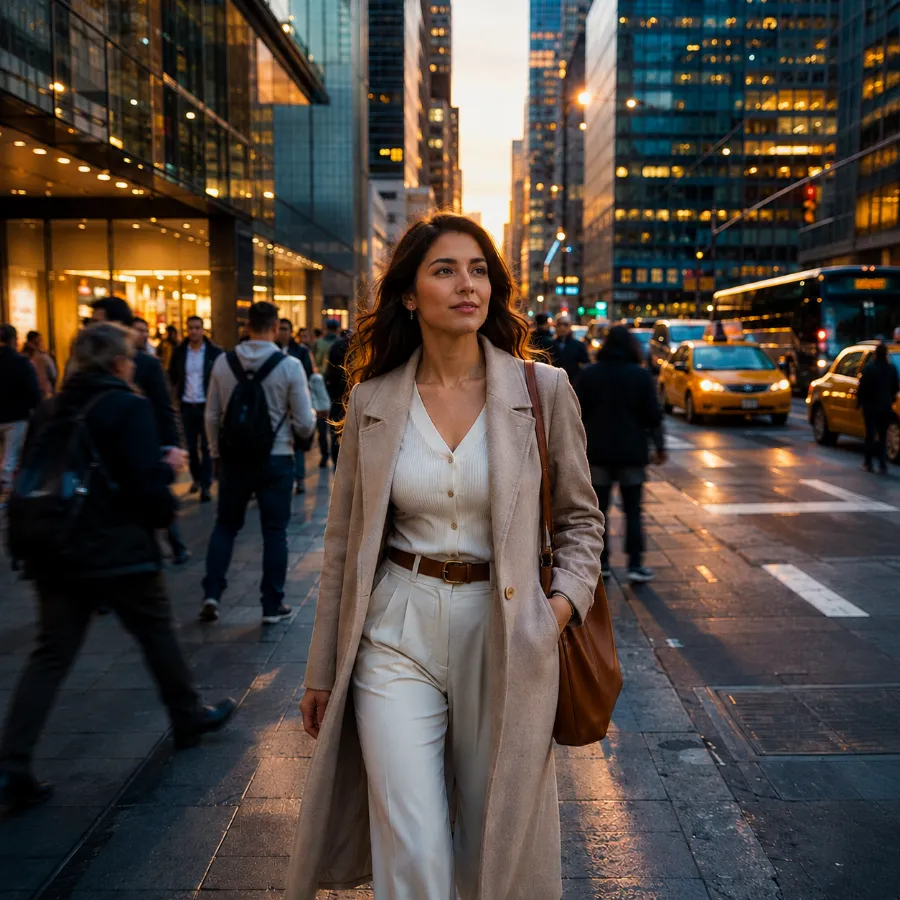
 Original
AI upscaled
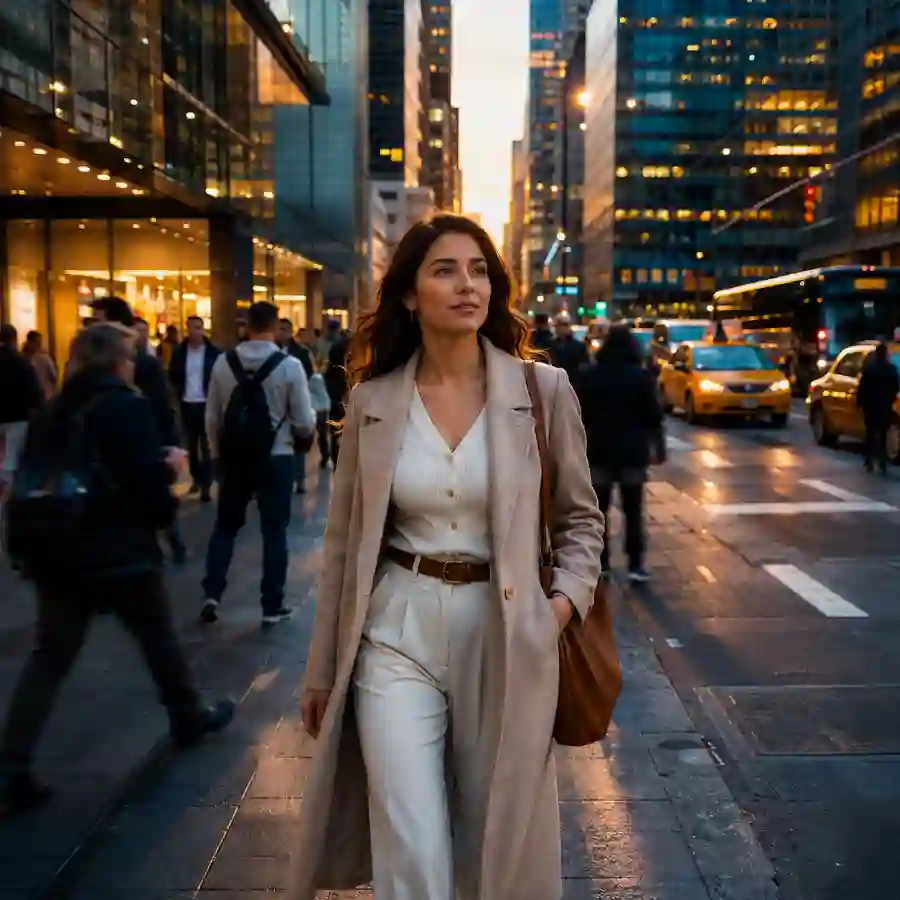
Original
AI upscaled
- 1UploadJPG, PNG or WEBP. Drag & drop or paste.
- 2Pick a model & scaleBasic 2× is free. Pro reaches 4K+ with far more detail.
- 3Compare & downloadInspect before/after, then save the full-size file.
What Our Users Say
AI Image Upscaler: Enlarge Photos Without Losing Quality
This free AI image upscaler and photo enhancer increases the resolution of any picture 2×, 4× or all the way to 4K - and, unlike a normal resize, it actually adds detail. Small web images, old scans, phone photos and screenshots come out sharper, cleaner and print-ready. Basic 2× upscaling is free with no account; the Pro model delivers the highest quality for large prints and professional use - and every registered user gets free Pro credits daily. Pro also outputs any exact resolution you type in, which makes it a favourite of creators who need graphics at a specific size: thumbnails, social posts, shop listings, banners and print files.
How does an AI image upscaler work?
Every digital photo is a grid of pixels. When you make that grid bigger, new pixels have to come from somewhere. A classic resize (bilinear or bicubic interpolation) simply averages the neighbouring pixels to fill the gaps - no new information is created, so the enlarged picture looks soft, blurry or blocky.
An AI upscaler works differently. It uses a super-resolution neural network that has been trained on millions of pairs of low-resolution and high-resolution images. From that training it has learned what real-world detail looks like: how the edge of a letter should be crisp, how skin, hair, fabric, foliage and brick texture behave, how JPEG compression blocks differ from actual content. When you upload a photo, the model analyses it and reconstructs plausible detail at the larger size - sharpening edges, rebuilding textures, removing noise and compression artefacts - instead of just spreading the old pixels out.
Super-resolution, not interpolation
The network predicts new high-frequency detail (edges, textures, fine lines) that interpolation can never produce. The result stays sharp at 2×, 4× and beyond.
Artefact & noise removal
Blocky JPEG compression, colour banding and sensor noise are recognised and cleaned up while genuine detail is preserved - a built-in photo quality enhancer.
Faces, text and textures
Trained on portraits, documents and natural scenes, the AI keeps faces natural, makes small text legible and restores fabric, hair and foliage detail.
Same photo, more pixels
Composition, colours and identity stay the same. You get the picture you uploaded - at 2×, 4× or 4K resolution, ready for printing, cropping or large displays.
Why “just stretching” an image looks bad
If you have ever enlarged a photo in a basic editor, you know the result: everything turns mushy, edges get jagged “stairs” and any compression artefacts become twice as big. That happens because interpolation has to invent pixel values from the surrounding ones - a mathematical average - and an average is always blurrier than the original.
- Pixels are duplicated or averaged - zero new detail
- Edges become soft or staircase-jagged
- Compression blocks and noise are enlarged too
- Text and fine lines stay unreadable
- New detail is reconstructed from learned image statistics
- Edges are re-drawn crisp at the new resolution
- Artefacts and noise are removed, not multiplied
- Faces, hair, textures and text become sharp and natural
Basic vs. Pro: which upscaler should I use?
Basic - free image upscaler (2× / 4×)
A fast super-resolution model that runs in seconds. 2× is free for everyone, no sign-up; 4× is available to subscribers. Ideal for social media, e-commerce thumbnails, presentations, screenshots and quick fixes of small web images. Input up to 2560 px (2×) or 3840 px (4×) on the longer side.
Pro - 4K photo enhancer (SeedVR2)
A much larger generative model that rebuilds significantly more texture and detail and copes far better with blurry, noisy or heavily compressed sources. Outputs up to 6,000 px on the longer side - perfect for large prints, wallpapers, product photography, real-estate shots and restoring old photos. Pro also offers a 1× enhance-only mode that keeps the original size and just cleans up blur, noise and compression, plus a custom output resolution - exact width and height for print sizes, banners or marketplace requirements. Costs 0.2 credits per image - create a free account and claim 0.4 free credits every day (two Pro upscales), or use your plan credits.
Custom resolution: exact sizes for creators, sellers and designers
Most upscalers only offer 2× or 4×. But if you publish content, you rarely need "twice as big" - you need exactly 1280 × 720 for a YouTube thumbnail, 1080 × 1350 for an Instagram portrait post, or 2000 × 2000 for a marketplace listing. With the Pro model you open Custom resolution, type the width and height, and get a file at that exact size - upscaled with real AI detail, not stretched. Keep the aspect ratio locked for a clean enlargement, or unlock it and the image is enlarged to cover your size and centre-cropped, so nothing is ever distorted.
YouTube, TikTok & streaming
Turn a screenshot or phone photo into a sharp 1280 × 720 or 1920 × 1080 thumbnail, channel art (2560 × 1440) or stream overlay without the usual blur from upscaling small captures.
Instagram, Pinterest & social posts
Prepare 1080 × 1080 squares, 1080 × 1350 portraits, 1080 × 1920 stories/reels covers and 1000 × 1500 Pinterest pins from any source photo, all at platform-native resolution.
E-commerce & marketplace listings
Amazon, Etsy, eBay and Shopify each want large, square, crisp product images (typically 2000 × 2000 to 3000 × 3000). Upscale supplier photos straight to the required size and pass the minimum-resolution checks.
Print, posters & print-on-demand
Print shops and POD platforms specify pixel dimensions at 300 dpi - e.g. 2480 × 3508 for A4, 3600 × 5400 for a 12 × 18 in poster, or a T-shirt print area. Enter the exact size and print without artefacts.
Website banners, ads & headers
Hero images, X/Twitter headers (1500 × 500), LinkedIn covers, display-ad creatives and email headers all have fixed slots. Produce the right pixel size in one step instead of upscale-then-crop in a separate editor.
Wallpapers, presentations & game assets
Match a device or screen exactly - 3840 × 2160 4K wallpapers, 1920 × 1080 slide backgrounds, or a texture that must be a specific size. Custom resolution goes up to 6,000 px per side.
What can you do with an image upscaler?
Print photos at large sizes
Turn a 12-megapixel phone photo into a 4K poster or canvas print without visible softness. Upscale first, then crop freely.
Restore old & scanned photos
Low-resolution scans and decades-old digital snapshots regain sharpness and texture. Combine with our face swap or ai-image-generator tools for further edits.
Enhance product & real-estate images
Marketplaces and listing sites demand large, crisp images. Upscale supplier photos or older catalogue shots to meet the requirements.
Upscale AI-generated art & game assets
Most AI generators output 1024 px images. Upscale them to 4K for wallpapers, prints, textures and video production.
Fix blurry social media downloads
Images saved from chats and social networks are heavily compressed. The AI photo enhancer cleans up artefacts and makes them shareable again.
Make small logos and screenshots readable
Text, icons and UI elements are re-drawn with clean edges, so small screenshots and logos scale up without becoming a pixel soup.
Tips for the best upscaling results
- Start from the best version you have. An original camera file beats a screenshot of it; a PNG beats a re-saved JPG.
- Don't over-enlarge. 2× is enough for screens; use 4× or Pro Max when you need to print or crop heavily.
- Blurry, noisy or very compressed source? Choose Pro - the generative model is built for difficult inputs. Sign in and claim your free daily credits.
- Check faces and text on the slider. These areas show the added detail best and reveal whether you need the stronger model.
- Download immediately. Results are stored only for a few days and then deleted.
Image upscaler FAQ
What is an AI image upscaler?
Is this image upscaler free?
How is AI upscaling different from just resizing a photo?
What is the difference between Basic and Pro?
Which file formats and sizes are supported?
Can I choose a custom output resolution?
Can I enhance a photo without making it bigger?
Can it fix blurry or low quality photos?
How long does an upscale take?
Do you keep my images?
Responsible use
AI upscaling reconstructs detail that looks realistic but is a prediction, not a recording. Please keep that in mind when enlarging documents, evidence, licence plates or faces for identification purposes - the result should never be treated as forensic proof. Only upload images you own or have permission to use, and follow your local laws and our Terms.